
Counter-Strike 1.6 Download
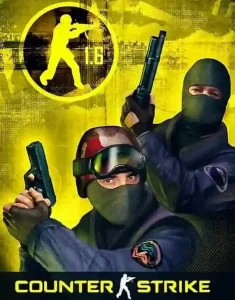
CS 1.6 Download: Full Version for Windows 11, 10, 7 and XP
Counter-strike 1.6 download – the full game client updated for modern operating systems. This version is a universal build, specifically optimized to run flawlessly on modern Windows 11 and Windows 10, while maintaining full backward compatibility with Windows 7 and Windows XP. We have fixed common video mode bugs and Half-Life filesystem errors that usually crash older builds on new systems, ensuring maximum FPS even on legacy hardware.
Getting a cs 1.6 download from this page guarantees a clean non-steam cs 1.6 installation. To ensure maximum download speed and security, our infrastructure is powered by Cloudflare, providing an encrypted connection and protecting the setup files from malicious injections or third-party modifications. With a global Content Delivery Network (CDN), we offer a low Time to First Byte (TTFB) and stable download rates regardless of your location.
Our counter-strike 1.6 download is a 100% original game version. It contains no slowhacks, no modified game menus, and no custom skins, just the standard files required for competitive or casual play. Launch the installer, complete the setup, and join any server from the working in-game browser.
Counter-Strike 1.6 Download Specifications
| Build Version | Counter-Strike 1.6 Full v48 (2026 Edition) |
| Safety Status | Verified 100% Clean (VirusTotal Scan) |
| OS Support | Windows 11, 10, 8.1, 7, XP (Low-spec PC Compatible) |
| File Size | 156MB (Fast Installer) |
| Language | English (Original) |
| Game Engine | GoldSrc (v1.1.2.6 Build 4554) |
| Protocol | Steam/Non-Steam Protocol 47/48 |
| Developers / Release | Valve Corporation / 2003 (2026 Patched) |
Start Counter-Strike 1.6 Download
* This link will take you to the secure cs 1.6 download section where you can find direct, torrent, and portable installation options.
Downloading Counter-Strike 1.6 from our website
This Counter-Strike 1.6 download for PC full version is delivered as a lightweight .exe installer, designed for a fast and clean setup. We have removed all unnecessary bloatware and ads to ensure the game directory remains compact while keeping the original GoldSrc engine fully functional on modern systems.
Choosing this cs 1.6 download gives you a client with these specific technical parameters:
-
Standard .exe Setup: A classic Windows installer that automatically configures your game folders and creates desktop shortcuts for immediate access.
-
Updated Masterserver: The
MasterServers.vdffile is pre-configured and write-protected, ensuring your in-game “Internet” tab always lists hundreds of active, real servers. -
Compact 156MB Installer: High compression allows for a fast cs 1.6 download, which expands into a full installation containing all original maps, textures, and sounds.
-
Resolution & Video Fixes: This counter-strike 1.6 download includes patches for modern video modes, preventing common “black screen” or startup crashes on Windows 10 and 11.
-
Clean Config: The
config.cfganduserconfig.cfgfiles are set to default values. No auto-connect scripts or hidden binds are included, giving you full control over your settings.
Access the setup file directly from our secure area:
Download Counter-Strike 1.6 Full Version.
How to install Counter-Strike 1.6
The installation of our CS 1.6 full setup is streamlined for speed. Everything is packed into a single .exe installer that handles the configuration automatically, so you can go from download to gameplay in less than two minutes.
Follow these steps to install the game:
-
Get the File: Click the primary cs 1.6 download button to receive the 156MB installer.
-
Start Installation: Run the setup file. It will automatically apply the necessary compatibility fixes for Windows 11, 10, and Windows 7.
-
Finish Setup: Follow the on-screen prompts to create a desktop shortcut. The installer will place all original game files in your selected folder.
-
Join a Server: Launch the game and use the “Internet” tab to browse hundreds of active servers instantly.
If you need more details about the setup process or technical requirements, visit our manual here:
Counter-Strike 1.6 Installation Guide.
Counter-Strike 1.6 original version features
This CS 1.6 setup file is built for players who demand a pure, vanilla experience without any unnecessary modifications. We have optimized this specific build to ensure it runs flawlessly on all modern OS versions while maintaining maximum FPS and rock-solid stability.
By using this primary Counter-Strike 1.6 download original link, you get a clean game client with these core advantages:
-
Zero Modifications: No modified menus, no annoying ads, and absolutely no slowhacks.
-
Maximum Performance: The engine is patched to deliver stable FPS on Windows 11, 10, and 7.
-
Secured Files: Your
config.cfgis protected from unauthorized server-side commands. -
Full Server Access: Updated masterserver with thousands of active servers in the “Internet” tab.
System requirements for CS 1.6
While Counter-Strike 1.6 is known for running on almost any hardware, ensuring your PC meets these basic specs will guarantee the stable 100 FPS required for competitive play. This build is highly optimized to run on both legacy systems and modern Windows builds.
Minimum requirements:
-
CPU: 800 MHz Processor
-
RAM: 128 MB
-
GPU: 32 MB Video Card with OpenGL support
-
OS: Windows 11, 10, 7, XP
-
Storage: 500 MB available space
Recommended for stable 100 FPS:
-
CPU: 1.2 GHz or higher
-
RAM: 512 MB
-
GPU: 128 MB Video Card
-
Internet: Broadband connection for online multiplayer
For more technical details on hardware compatibility, visit our dedicated page:
System Requirements for CS 1.6.
Will your PC run Counter-Strike 1.6?
Counter-Strike 1.6 is extremely lightweight and runs on 99% of modern and legacy computers.
As long as you have at least 128MB RAM and a Windows OS, you are ready to play.
If you are unsure about your hardware, follow our guide:
How to check your PC specs for CS 1.6.
Learn about different Counter-Strike 1.6 editions
Over the years, the community has created numerous editions of the game, ranging from the classic Original v43 to modern versions with HD models or integrated bots. Understanding the differences between these builds helps you choose the setup that fits your gameplay.
We have compiled a comprehensive overview of the most popular builds, their features, and what makes each edition unique.
Review the full list of variations here:
Counter-Strike 1.6 versions overview.
Non-Steam vs. Steam: Which CS 1.6 version to choose?
While the core gameplay remains identical, the Non-Steam version of Counter-Strike 1.6 is often preferred by players looking for a standalone client that doesn’t require a platform login. Our build is fully patched to allow access to thousands of public servers, just like the original Steam release.
If you want to understand the technical differences regarding security, masterserver access, and account requirements, we have prepared a detailed breakdown.
Read the full comparison here:
CS 1.6 Non-Steam vs. Steam comparison.
Counter-Strike 1.6 on different platforms (PC & Mac)
Our installer is natively optimized for Windows 7, 10, and 11. While CS 1.6 historically supported macOS, newer versions (from 10.15 Catalina onwards) have dropped support for 32-bit applications. This means the game runs natively only on older Mac systems like macOS Mojave or earlier.
If you are using a modern Mac with an M1/M2/M3 chip or a newer macOS, you will need to use compatibility tools or emulators.
Check the detailed instructions for all operating systems here:
CS 1.6 platform & OS compatibility guide.
Optimized download performance
Our counter-strike 1.6 game setup file is pre-optimized for maximum stability and connection speed. However, since network conditions can vary, we have prepared a separate guide for users who want to further fine-tune their download experience or troubleshoot connection-specific issues:
Download speed optimization guide.
Counter-Strike 1.6 download size: Steam vs. Non-Steam
Our standard original CS 1.6 installer is highly optimized at only 156MB, allowing for a near-instant setup. While modified editions (such as HD models or Warzone) may vary in size up to 300MB, they remain significantly more compact than the Steam version.
For a full comparison of file sizes across all our available builds, visit our
detailed CS 1.6 size guide.
Preparing for competitive play in Counter-Strike 1.6
Our CS 1.6 download is fully optimized for competitive matches right out of the box. It features a clean configuration that ensures a stable 100 FPS and low latency, which are crucial for professional gameplay and tournament-level performance.
If you want to master advanced tactics, map layouts, and team communication, we have prepared a comprehensive guide to help you transition from a casual player to a pro.
Learn more about competitive CS 1.6 here.
Frequently asked Counter-Strike 1.6 download questions (FAQs)
Quick answers to the most common questions about our CS 1.6 setup. For more technical help, visit our full Counter-Strike FAQ.
- Will it work on Windows 11 and 10? Absolutely. This version includes specific patches for modern systems to fix resolution bugs and prevent startup crashes.
- Is this download safe? Yes. Every file is verified clean and contains no slowhacks, ads, or third-party modifications that could harm your PC.
- What is the download size? The installer is only 156MB, optimized for a fast setup even on slower internet connections.
- Does it include bots? Yes, this CS 1.6 download comes with integrated bots for offline practice without an internet connection.
- How fast is the download? We use Cloudflare CDN to ensure maximum speed by connecting you to the server closest to your location.
- Is it compatible with old PCs? Yes, our build is highly optimized for low-end hardware, supporting legacy systems like Windows XP and Windows 7.
CS 1.6 download troubleshooting issues
While getting the game client for modern systems is usually a seamless process, some users might experience minor setup interruptions. This section covers essential troubleshooting steps to ensure your installation is successful and the application remains fully functional without errors.
Common download issues and solutions
If you encounter challenges during the setup, such as permission errors or connection timeouts, we have prepared a dedicated resource to help you fix them quickly. Visit our support area: Common Download Issues and Solutions.
- Optimizing transfer speeds by switching to alternative servers.
- Resolving installation files that appear stuck or incomplete.
- Fixing data integrity errors and ensuring archive stability.
- Bypassing system security warnings or false-positive alerts.
Additional tips for an enhanced CS 1.6 experience
To maximize your performance after the initial setup, it is important to understand the game’s mechanics and internal configurations. For expert insights and tactical lessons, visit: Explore more tips and lessons here.
Counter-Strike 1.6 weapons list
Every firearm in the game has unique recoil patterns and damage stats. For a comprehensive guide on all the equipment and how to use it effectively in-game, check out the full list here: Check out the full weapons list here.
Counter-Strike 1.6 game menu
The user interface and navigation settings play a huge role in your overall experience. For a detailed overview of the primary interface and customization options, explore the details here: Explore the Game Menu details here.
Everything integrated into this build aims to preserve the authentic Counter-Strike 1.6 experience while making it fully compatible with modern operating systems. By focusing on a clean configuration, stable FPS, and a working masterserver, we ensure that you can jump straight into the action without worrying about legacy software bugs or security threats. Whether you are a veteran returning for a nostalgia trip or a new player looking for competitive gameplay, this installation provides a reliable foundation for your matches today and in the future.